Using the SF_EnergyBalance Table
The SF_EnergyBalance table contains the analysis rule settings. This includes the unit of measure to be used as the balance quantity as well as the Attribute defaults for the balance parameters. The following figure shows an example section of the table.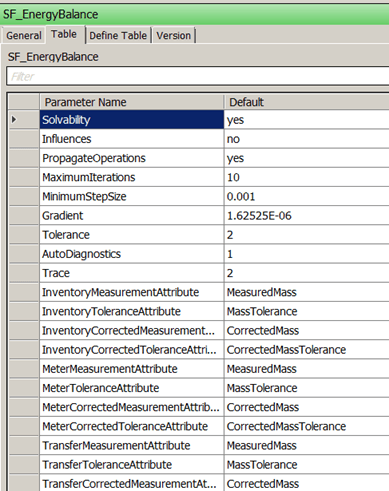
Note: Table editing is not available in the ProcessBook SFModeler.
To edit the SF_EnergyBalance table:
- Open System Explorer.
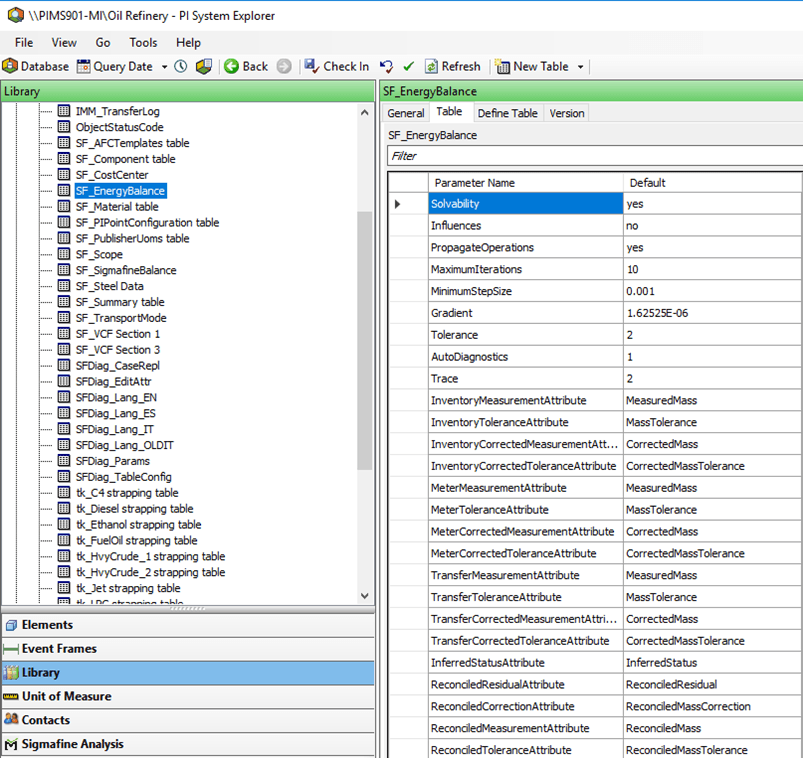
- In the navigation pane, click on Library.
- In the Library list, click on the SF_EnergyBalance table.
- Enter the appropriate parameter default values.
Configuration Error Messages
The following table provides troubleshooting tips for a list of possible error messages that can occur when configuring the Energy Balance Analysis Rule.
Energy Balance Analysis Rule Configuration Error Messages
| Error Message | Troubleshooting |
|---|---|
| “The Quantity UOM [quantity unit of measure] and the Energy UOM [energy unit of measure] cannot be related to [Unit of measure of specific energy].” | This message indicates that the units of measure used for the solver are not compatible. Change the units of measure to compatible UOMs. |
| “The number of iterations has to be an integer number.” | Enter an integer value for the number of iterations. |
| “The number of iterations has to be a positive and integer number.” | Enter a positive integer value for the number of iterations. |
| “The [parameter] has to be a number.” | Enter a numeric value for this parameter. |
| “The [parameter] has to be a positive number. | Enter a positive numeric value for this parameter. |
| “Not all parameters have been configured.” | All parameters must be specified in the configuration dialog box. Specify them by selecting the appropriate attributes. When a selection is empty and there are no available Attributes to be selected, use the tool tip to determine the Attributes required in the Element templates, and add them. |
| “SF_EnergyBalance is missing Parameter Name: 'AutoOS'” | You must create entry in the SF_EnergyBalance table, add AutoOS and set it to Yes. |